
How to look up passwords
If you have a password saved in Safari's iCloud Keychain, chances are, you'll be able to use autofill on your iPhone or iPad, but just in case something goes wrong, here's how to find that information.
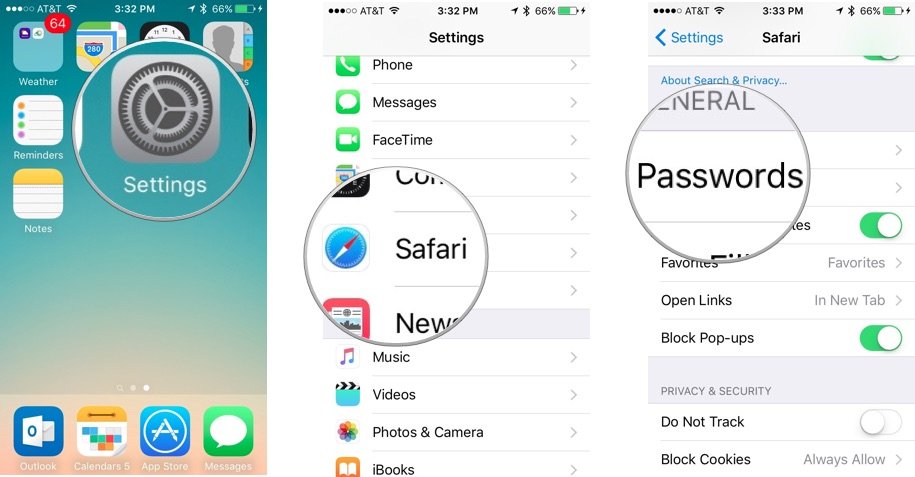
- Open the Settings app.
- Scroll down and tap Safari.
- Under the General section, tap Passwords.
Accessing your passwords in iCloud Keychain on iPhone
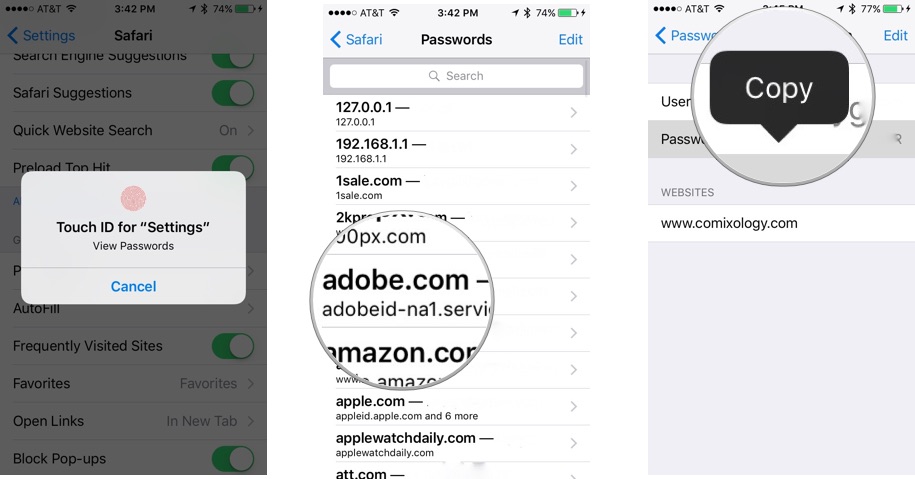
- Use Touch ID to sign in, or enter your four-digit code if you don't use Touch ID.
- Scroll down and tap the website name that you want the password for.
- Press and hold the password tab to copy it.
- Tap Copy
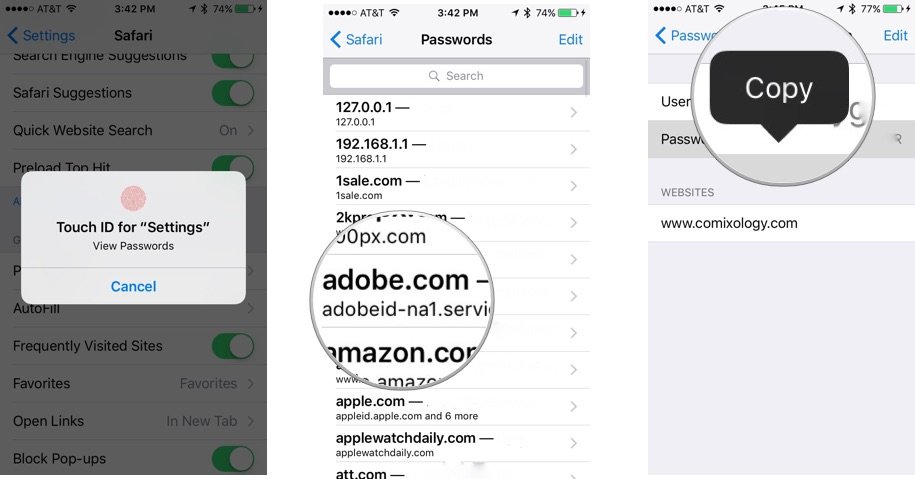
Once copied, you can paste your password into whatever field you want.
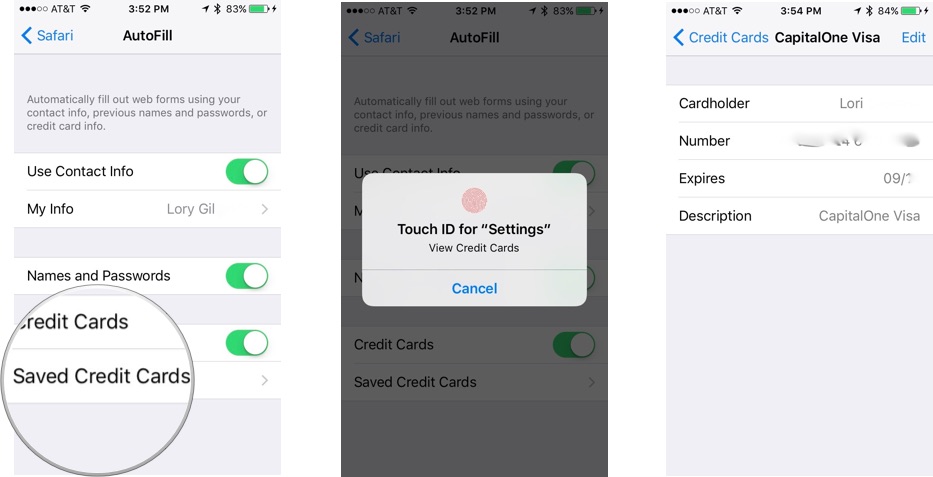
How to look up credit card information
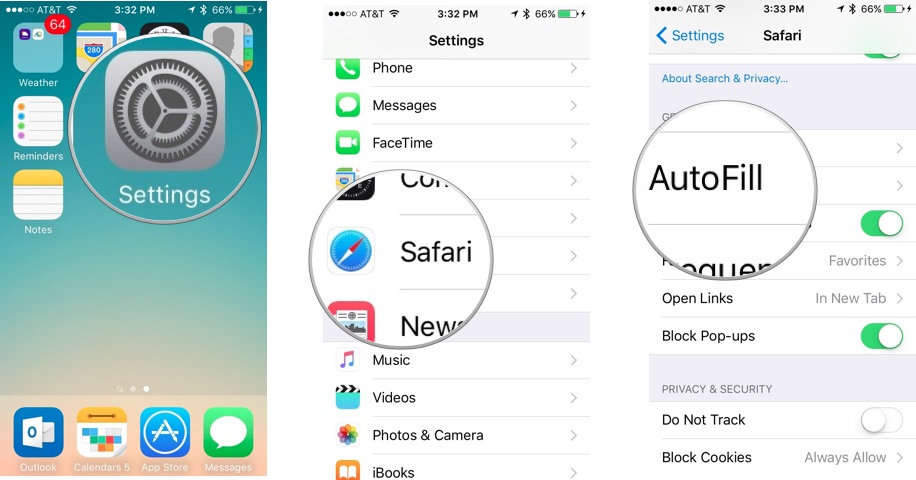
- Open the Settings app.
- Scroll down and tap Safari.
- Under the General section tap Autofill.
- Tap Saved Credit Cards.
- Use Touch ID to sign in, or if you don't use Touch ID, enter your four-digit code .
- Select the credit card number you want to view

An Engineering student who is passionate about blogging and hacking .
ConversionConversion EmoticonEmoticon